
Automate a Restaurant Community and Player Features
Find groups, trade items, use Discord safely, and understand co-op etiquette in shared restaurants.
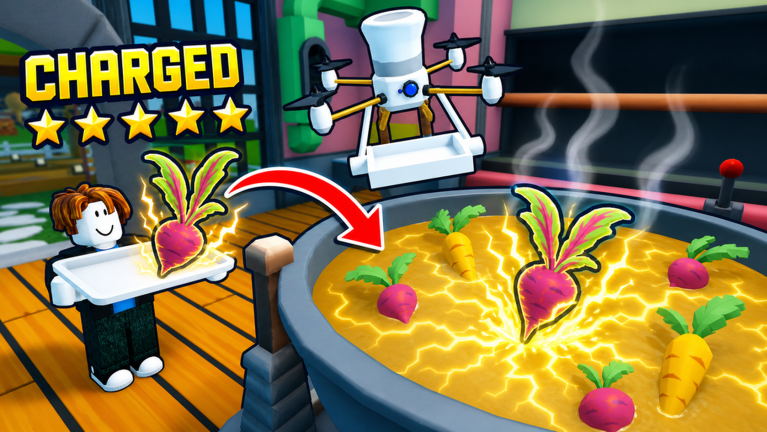
Automate a Restaurant Players Hub
Automate a Restaurant supports online co-op with up to roughly ten players sharing one restaurant. This Players Hub covers how to find groups, trade items safely, use community spaces like Discord without getting scammed, and follow etiquette that keeps shared kitchens productive.
The game launched May 25, 2026 from m_experiment on Roblox. This hub is for players who want community features, not just solo progression. Solo players can ignore co-op entirely and still reach every milestone using the Guides Hub.
Finding groups and LFG
Official channels
The primary way to find co-op partners is through the m_experiment group on Roblox. Follow the group for announcements, updates, and any official LFG (Looking for Group) posts. Do not rely on random in-game chat invites from strangers.
As of late August 2026, no dedicated LFG board is verified on this wiki. Check the group page and the Updates Hub after patches for any community posts the developers endorse.
Community servers
Discord servers sometimes host LFG channels for Automate a Restaurant. Use these with caution:
- Verify the server before joining. Impersonation servers that look like official m_experiment channels are common.
- Never share account credentials in any Discord, regardless of how official it looks.
- Do not click invite links from strangers in-game or in community posts.
See the Discord page for honest status on verified invites and scam patterns to watch for.
Public server etiquette
Public servers attract players at all stages:
- Call your roles before rearranging stations. If you claim harvest, say so. Others need to know before they duplicate your work.
- Do not auto-click scripts in public lobbies. Even if you use a hub, public co-op is not the place. See the Scripts Hub for safety warnings.
- Leave the lever alone unless you are the one assigned to collect. The lever mechanic belongs to whoever the group designates.
Trading and item exchange
Whether trading exists
Automate a Restaurant may support item trading between players in shared restaurants. Trading rules change with patches. As of August 2026, no confirmed trading system is verified on this wiki. If the game introduces trading:
- Trade only at designated trade zones or the base, never on hunt routes where lag can drop items.
- Confirm prices or fair trades before completing the exchange.
- Use voice or chat to confirm both parties received what they expected.
Common trade scams
Scammers target incremental game players with:
- Fake rare drops offered in trade for valuable crops or recipes.
- Duplicate item swaps where the scammer shows a rare then trades a common version.
- Lever manipulation where one player collects all storage and claims it as shared loot.
If a trade feels wrong, stop. No item is worth losing your save to a scammer.
Discord and community safety
Real Discord vs fake Discord
The Discord page on this wiki lists the honest status: no invite is hardcoded on this wiki as of August 2026. Only use invites shown on the official m_experiment group or the Roblox experience page.
Fake Discord servers often:
- Copy the branding and description of legitimate communities.
- Promise free gamepasses or rare items to lure players.
- Ask for Roblox login credentials or executor downloads.
What to do in a real community
Legitimate Automate a Restaurant communities discuss:
- Tips for recipe discovery and rare ingredient hunting routes.
- Co-op role assignments and layout advice from the Production Line Layout guide.
- Drone priority discussions from the Tier List Hub.
- Update speculation based on patch notes in the Updates Hub.
Legitimate communities never:
- Sell gamepasses or items for real money outside the Roblox platform.
- Distribute scripts that claim to automate gameplay.
- Ask for your password or 2FA codes.
Co-op etiquette for shared restaurants
Before joining a shared restaurant
- Read the rules — some groups have specific layouts or upgrade paths. Do not rearrange without asking.
- Check permissions — shared restaurants may restrict who can build, trade, or collect from the lever.
- Pick a role — harvest, cook, serve, or experiment tracker. Let the existing players know which slot you are filling.
See Co-op Shared Restaurant for the full etiquette guide.
Role assignments that work
The most productive co-op setups divide roles clearly:
- One player per station type — one harvest lead, one cook lead, one serve lead. Duplication wastes resources.
- One collector — designated lever and storage manager. More than one collector causes conflict.
- One experiment tracker — keeps the recipe discovery log and calls out when a new dish is ready to automate.
What not to do in co-op
- Do not buy land without telling the group. Expansion costs affect shared cash.
- Do not automate a role someone else is already running. Check who owns which drone before buying duplicate units.
- Do not use scripts in shared restaurants. Even if a script is safe solo, it can disrupt shared kitchens or trigger anti-cheat for the whole group.
Community content
YouTube and streaming
Automate a Restaurant has limited verified YouTube content as of August 2026. When watching guides:
- Confirm the video is about this exact place (ID 101670277171204), not Run a Restaurant.
- Check the upload date. Mechanics change with patches; old videos may show deprecated strategies.
- Cross-reference claims with the Updates Hub before applying them.
This wiki embeds no YouTube video unless it is verified for this specific game.
Social media
Follow the official m_experiment group for announcements. Community Twitter accounts and TikToks vary in accuracy. Use the Links Hub for official bookmarks and treat fan social accounts as unofficial commentary.
Player safety checklist
Before joining any group, trading, or clicking a Discord link:
- Is this invite from the official m_experiment Roblox group page?
- Does this Discord promise free gamepasses, rare items, or Robux?
- Am I being asked to download an executor or log into a third-party site?
- Is this trade happening at a designated base zone, not on a hunt route?
- Did I confirm the other player is actually in my shared restaurant?
If any answer is no or uncertain, stop and verify before proceeding.
Related pages
- Co-op Shared Restaurant — full co-op etiquette and role guide
- Discord — honest status on community Discord invites
- Links Hub — official Roblox bookmarks and community resources
- Scripts Hub — why scripts are risky in shared kitchens
- Updates Hub — patch timing that often triggers new community activity
Community features are optional but can make late-game scaling much more fun. Play safe, verify everything, and keep the shared kitchen productive.
Frequently Asked Questions
Quick answers to the most common questions.
How do I find co-op partners for Automate a Restaurant?
Follow the official m_experiment group on Roblox for LFG posts. Community Discord servers exist but verify invites carefully before joining.
Is there a trading system in the game?
No confirmed trading system is verified on this wiki as of August 2026. If trading is introduced in a future patch, trade only at designated base zones and never on hunt routes.
How do I avoid Discord scams?
Only use Discord invites from the official m_experiment Roblox group page. Never share credentials, download executors from strangers, or trust promises of free gamepasses.
What roles work best in co-op?
Divide by station type: one harvest lead, one cook lead, one serve lead, one collector for the lever and storage. Keep roles distinct to avoid duplicated effort.
Can I use scripts in shared restaurants?
No. Scripts are risky even solo and can disrupt shared kitchens or trigger anti-cheat for the entire group. Use in-game drones instead.