Getting Started in Automate a Restaurant
From your first plot to a restaurant ready for automation, drones, and friends.
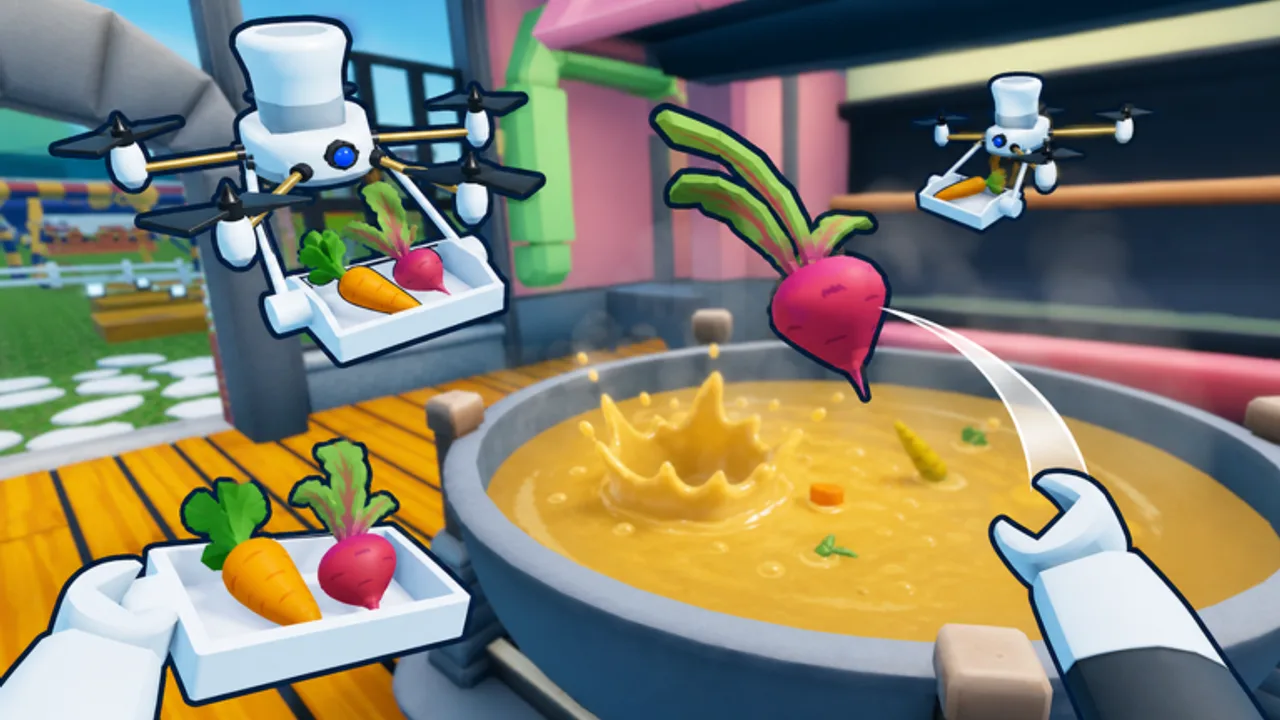
Automate a Restaurant is an incremental simulator on Roblox where you grow food, invent dishes, and gradually hand work off to drones until your kitchen runs like a factory. The game released on May 25, 2026 from the m_experiment group and is playable at the official Roblox place page. This guide covers the first hour: what to click, what to ignore, and how the core loop sets up everything later in the Guides Hub.
What you are building toward
Every session follows the same long arc: farm → hunt rare ingredients → discover recipes → serve customers → unlock drones → expand a production line → share one restaurant with friends. You do not need to understand the endgame on day one, but knowing the destination helps you spend time and currency wisely. Manual work always comes first; automation is the reward for learning the systems.
If you want a broader overview of pages on this wiki, start at the Automate a Restaurant Wiki home and bookmark Updates for patch notes.
Joining and first load
Launch the experience from Roblox search or the link above. On first join you typically spawn near a small plot with basic tools and a handful of tutorial prompts. Read each prompt once, then finish the guided steps in order—they usually cover planting, harvesting, cooking a simple dish, and serving your first customer.
Do not skip the tutorial unless you have played incremental sims on Roblox for years. Automate a Restaurant hides important UI labels (recipe experiment panel, drone dock, shared-restaurant permissions) behind early objectives. Completing the chain unlocks menus you will need for Discover Recipes and Unlock Drones later.
Core loop in plain terms
Plant and harvest crops
Open your inventory or hotbar and equip seeds. Place them on tilled soil within your starting farm zone. Crops grow in real time; early plants finish quickly so you can feel progress within minutes. Harvest with the interact tool when produce is ready, and store items in your bag or a nearby crate.
At the start, stay focused on one or two crop types the tutorial names. Spreading across ten plants before you know any recipes wastes bag space and slows discovery. Once you understand demand, compare options on the Best Recipes tier list for profit targets—not on minute one, but soon after your first sale.
Serve customers manually
Customers arrive with orders. Check the order ticket, gather ingredients from storage or the field, use a cooking station if required, and hand the finished plate to the customer or drop it on the serving counter. Early money comes from completing these tickets reliably rather than from exotic dishes.
Speed matters less than accuracy. Wrong items often waste ingredients and delay the next ticket. Keep a mental note of which crops you use most; those become your first automation priorities when drones appear.
Experiment to discover recipes
The game does not give you a full cookbook on day one. You combine crops and other inputs in the experiment or crafting interface to reveal new recipes. Successful discoveries unlock permanent entries you can cook repeatedly and eventually assign to drones.
Treat early experiments as research, not gambling. Use small batches, write down combinations that fail, and track confirmed dishes with our Recipe Checklist tool. Full strategy lives in Discover Recipes; for now, aim to unlock two or three staples customers already request.
Rare ingredients come later
Some high-tier recipes need items you cannot grow on your starter plot. Hunting those materials is a mid-game step tied to exploration and upgrades. You will not need them in the first session, but know that Rare Ingredients become essential once basic automation stalls.
Controls and UI habits
Roblox defaults apply: WASD to move, mouse to look, E or click to interact depending on device. Mobile players use the virtual joystick and action button. Open menus from icons on the screen edge—inventory, recipes, upgrades, and social panels are usually separated so you can check one without closing another.
Build these habits early:
- Pin your recipe list after the first discovery so you stop guessing combinations during rush periods.
- Return to base before logging off so crops finish growing while you are away (where the game allows offline progress).
- Check Codes on this wiki after major updates; developers sometimes publish boosts that help new players catch up.
What to unlock first
Follow the main quest or milestone track until it points you toward your first drone slot or upgrade bench. Before spending premium or rare currency, prioritize:
- Bag or storage upgrades so harvests do not block planting.
- One reliable recipe you can batch cook for steady income.
- A second crop type that pairs with that recipe so fields stay busy.
Avoid decorative expansions until serving and cooking keep up with customer flow. When automation opens up, read Unlock Drones and the Drone Priority tier list before buying every unit on the menu.
Multiplayer on day one
Automate a Restaurant supports online co-op with up to roughly ten players in one shared restaurant. You can invite friends immediately, but most groups wait until everyone understands manual cooking and basic layout. Jumping straight into co-op without roles leads to duplicated work—three people planting the same crop while orders pile up.
When you are ready, the dedicated guide Co-op Shared Restaurant explains permissions, split tasks, and how to scale one kitchen together.
Common beginner mistakes
- Over-planting before you have storage or recipes that use the harvest.
- Ignoring the experiment panel and assuming every dish is sold by an NPC vendor.
- Buying drones before you know which step in the loop is your bottleneck.
- Spreading upgrades across every station instead of finishing one production chain.
If income flatlines, walk the loop backward from the customer: are orders waiting for food, food waiting for ingredients, or ingredients waiting for harvest?
Where to go next
You now know the day-one rhythm. Continue with Unlock Drones when the game offers your first automated worker, Discover Recipes when you want higher margins, and Production Line Layout when manual walking becomes the limit. Players who prefer community tools can browse Scripts separately from progression guides—use them only if you understand Roblox account safety.
For a structured path through all guides, return to the Guides Hub and work through pages in order: drones, recipes, rare materials, layout, then co-op.
Frequently Asked Questions
Quick answers to the most common questions.
Do I need friends to play Automate a Restaurant?
No. The full progression loop works solo. Co-op is optional and lets up to about ten players share one restaurant when you want to split roles.
How long until I get my first drone?
Most players reach the first drone unlock after finishing the early tutorial chain and earning basic currency from manual orders. Exact timing depends on how quickly you complete customer tickets.
Should I experiment with recipes before or after serving customers?
Serve first to learn which ingredients matter, then experiment in small batches. That way you discover dishes that already match customer demand instead of random combinations.
Does the game progress while I am offline?
Crop growth and some passive systems may continue when you are away, but major milestones still require active play to unlock drones, layouts, and co-op upgrades. Check patch notes on Updates for current behavior.
Where can I find working codes?
Bookmark the Codes page on this wiki. We list active rewards when developers publish them and remove expired entries after updates.