Automate a Restaurant How to Unlock and Use Drones
Turn manual farming and cooking into automated harvest, prep, and service.
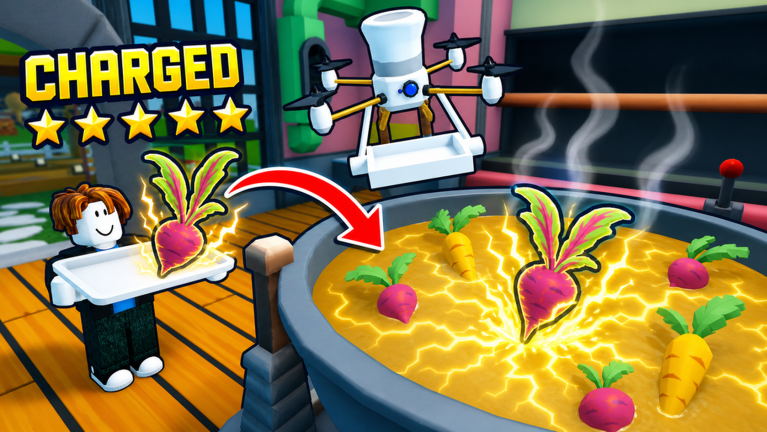
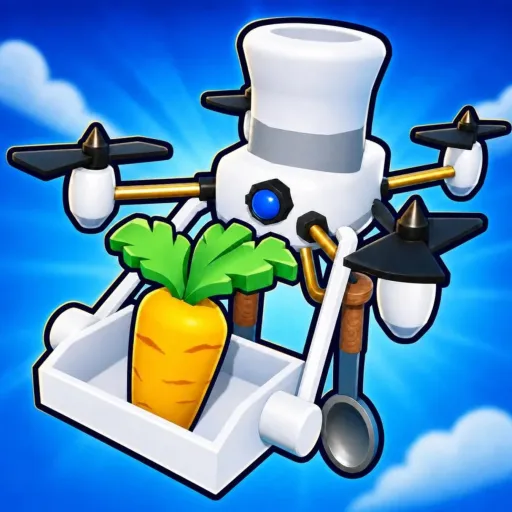
Drones are the main automation layer in Automate a Restaurant. Once you unlock them, robots can harvest crops, operate cooking stations, and carry finished plates to customers while you focus on recipe discovery, layout, and co-op coordination. This guide explains when drones appear, what each role does, and how to prioritize upgrades without wasting early currency.
If you are still planting and serving by hand, read Getting Started first. When your fleet is running, pair this page with Production Line Layout and the Drone Priority tier list.
Why drones matter
Automate a Restaurant is built as an incremental simulator: manual play teaches the loop, then automation scales it. Drones remove walking time between fields, stoves, and counters—the first real bottleneck after you understand recipes. Without them, mid-game customers outpace a solo player even with good crops.
Drones do not replace knowledge. You still choose which crops to grow, which recipes to standardize, and where stations sit on the map. They execute assignments you configure. Bad assignments multiply waste; good ones print steady income while you hunt Rare Ingredients or experiment in Discover Recipes.
When unlocks typically appear
Exact requirements can shift with patches—check Updates after major releases—but the pattern is consistent:
- Finish the introductory tutorial and earn baseline currency from manual service.
- Reach the milestone that opens the drone dock, workshop, or equivalent upgrade menu.
- Purchase or claim your first drone slot, then assign it to one job type.
The game usually gates the first unit behind a quest so you cannot skip straight to full automation before cooking at least a few orders yourself. That is intentional: you learn ingredient flow before delegating it.
Drone roles at a glance
Most players encounter three functional categories, even if the UI uses different names:
| Role | Typical task | Best time to add |
|---|---|---|
| Harvest | Pick ripe crops and deliver to storage | As soon as field size exceeds manual harvest speed |
| Cook | Batch recipes at assigned stations | After you lock one or two profitable dishes |
| Serve | Move finished food to customers or counters | When cook speed exceeds your walking speed to tables |
Some builds combine movement and interaction in one unit; others split duties across specialized drones. Treat labels in-game as authoritative if they differ from this table.
Step-by-step first unlock
Save for the dock, not cosmetics
Early currency tempts you toward decor or extra crop types you cannot process yet. Hold funds until the menu shows an available drone slot or automation license. If a quest pinpoints the unlock, follow it—it often grants a discount or a free trial unit.
Choose one job for drone number one
Your first drone should fix your slowest step. Count where orders stall:
- Fields ripe while tickets wait → harvest drone.
- Ingredients piling up uncooked → cook drone tied to one recipe.
- Plates ready but customers angry → serve drone.
Most solo players pick harvest first because crop timers run whether you are experimenting or in menus. Co-op groups sometimes pick cook or serve first if one player already handles fields—see Co-op Shared Restaurant.
Assign crops and recipes explicitly
Open the drone configuration panel and bind the unit to specific plots, crates, or recipe slots. Vague “help everywhere” settings cause drones to idle, cross paths, or steal ingredients from manual tasks.
Start with one crop patch and one recipe until behavior looks reliable. Expand assignments only after watching a full customer cycle without jams.
Upgrade speed and capacity before buying duplicates
A second slow drone often loses to one upgraded drone with faster travel or larger carry capacity. Compare upgrade prices to a new slot on the Drone Priority tier list before you spam purchases.
Mid-game fleet strategy
Chain harvest → cook → serve
Ideal flow mirrors a factory line: harvest feeds storage near stoves; cook outputs to a hand-off point; serve picks up only from that point. Without hand-off zones, cook and serve drones compete for the same tiles and create traffic jams.
Draw a simple path on paper or use placeholders before spending on a third or fourth unit. Detailed spacing advice is in Production Line Layout.
Match drones to your recipe tier list
Automate dishes that appear on the Best Recipes tier list—high margin, stable ingredients. Assigning drones to experimental or rare-ingredient plates burns throughput when inputs run dry.
When you pivot recipes, rebind drones the same session. Old assignments silently craft outdated food nobody orders.
Leave manual override for discovery
Keep one cooking station or one field block unassigned so you can test combinations for Discover Recipes without pausing the whole fleet. Pause or redirect drones temporarily if an event or patch changes crop timers.
Upgrades, repairs, and currency
Drone systems usually consume the same soft currency as crops and stations, sometimes plus rare drops from Rare Ingredients runs. Plan upgrade sessions after a profitable rush rather than during a drought.
If a drone appears stuck:
- Confirm its assignment still exists (upgraded stations move).
- Check path width—narrow gaps block Roblox NPC-style movement.
- Reload the server if a known bug freezes AI after co-op join.
Report persistent issues on the developer Discord or Roblox group; we summarize fixes on Updates.
Co-op and drones
In shared restaurants, duplicate roles waste slots. Assign harvest to one player’s drone set, cook to another, and agree on serve coverage during peak hours. Unowned drones conflicting on the same crate are a common source of co-op arguments.
Permissions may limit who can rebind drones. Establish a “layout captain” before bulk purchases. Full social rules are in Co-op Shared Restaurant.
Mistakes to avoid
- Buying three harvest drones when storage is full because cook is unautomated.
- Automating a recipe that uses ingredients you have not secured yet.
- Ignoring drone upgrades while saving for unrelated expansions.
- Running Scripts that interfere with movement—risky for accounts and often unnecessary if layout is sane.
Checklist before your next drone
Use this quick audit before unlocking another slot:
- Is the previous drone busy more than eighty percent of a rush cycle?
- Is the bottleneck still the same step?
- Do storage and paths support another unit without collisions?
- Are you cooking tier-list recipes, not experiments?
If any answer is no, fix the weak link first.
Related guides
Return to the Guides Hub or continue with Discover Recipes for higher-value plates, Rare Ingredients to feed advanced automation, and Production Line Layout to physically arrange stations for drone paths. New players should keep Getting Started bookmarked for control basics and day-one goals.
Frequently Asked Questions
Quick answers to the most common questions.
What should my first drone do?
Assign it to whichever step slows orders most—usually harvest if crops ripen faster than you can pick them, or cook if ingredients pile up uncooked.
Can drones discover new recipes for me?
No. Drones execute recipes you already unlocked through experimentation. Use manual stations or dedicated time for discovery, then automate proven dishes.
Do drones work in co-op restaurants?
Yes. Shared restaurants can run drone fleets, but teams should divide roles so units do not compete for the same crops, crates, or counters.
Should I buy more drones or upgrade existing ones?
Upgrade speed and capacity on a reliable first drone before duplicating roles. A second unit helps only when paths, storage, and recipes already support higher throughput.
Where do I compare drone types after patches?
Use the Drone Priority tier list on this wiki and read Updates after major releases. Developers occasionally rebalance unlock costs or movement speed.