
Automate a Restaurant Scripts & Automation Safety
Understand Roblox executors, avoid scams, and use in-game drones instead.
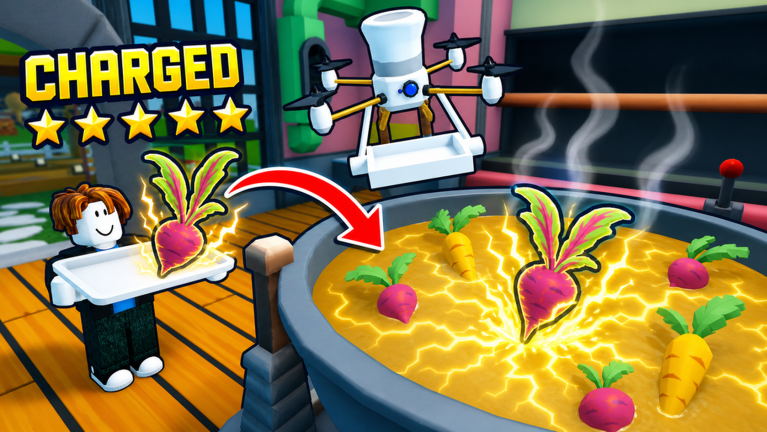
Automate a Restaurant Scripts Hub
Players often search for Automate a Restaurant scripts hoping to auto-farm crops, spam experiments, or skip the serve queue. This hub is honest about what exists today: as of August 2026, we have no verified, game-specific scripts for Automate a Restaurant. That is not a gap we plan to fill with invented loadstrings—fake script pages are how accounts get compromised and how players waste time on tools built for the wrong Roblox restaurant game.
Automate a Restaurant is a released Roblox incremental simulator from m_experiment (launch May 25, 2026). The intended automation path is in-game: unlock drones for harvest, cook, and serve roles, then shape a production line with friends in shared co-op (about 10 players). Scripts are not required to progress, and we do not recommend them.
Verified status (August 2026)
| Item | Status |
|---|---|
| Game-specific auto-farm scripts | None verified for this place ID |
| Safe official mod support | None — Roblox experiences do not endorse executors |
| In-game automation | Drones + layout — see Unlock Drones |
If a site lists a pastebin or loadstring claiming to work in Automate a Restaurant, treat it as unverified until you personally confirm behavior on the correct game—and even then, account risk remains.
Wrong game warning: Run a Restaurant
Search results frequently mix Automate a Restaurant with Run a Restaurant. They are different experiences, different developers, and different place IDs. Scripts, codes, and tier lists copied from Run a Restaurant will not behave correctly here and may trigger bans or malware prompts when pasted into an executor.
Always confirm you joined Automate a Restaurant on Roblox before testing any external tool. Our Codes Hub repeats this warning because promo spam uses the same confusion.
How Roblox scripts work (general)
Third-party executors inject Lua into the Roblox client. They can move your character, fire remote events, or read UI state. That power violates Roblox Terms of Use for most players, risks account termination, and exposes you to keyloggers bundled with “free” downloads.
Legitimate progression in this title uses systems the developer shipped: planting, experimenting, serving, drone unlocks, and co-op coordination. For a deeper walkthrough of risks and alternatives, read How to Use Scripts.
What to do instead of scripts
- Learn the loop — Getting Started and Discover Recipes.
- Automate legally — Drone Priority and Production Line Layout.
- Track goals — Recipe Checklist markdown workflows, not bot farms.
- Claim real codes — Codes Hub when verified promos appear (none active Aug 2026).
Related pages
- How to Use Scripts — executor basics, ban risk, and checklist before you click anything
- Tier List Hub — invest in recipes and drones that match your save
- Updates Hub — patches can break old executors overnight
- Links Hub — bookmark official destinations instead of random script sites
This hub will only add script entries after independent verification on the correct game—and we will still warn about account risk. Until then, use drones.
Frequently Asked Questions
Quick answers to the most common questions.
Are there working Automate a Restaurant scripts?
Not that we can verify as of August 2026. We do not publish unconfirmed loadstrings. Use in-game drones for automation.
Will scripts from Run a Restaurant work here?
No. That is a different Roblox game. Scripts tied to another place ID can fail silently or risk your account.
Can I get banned for using executors?
Yes. Roblox can terminate accounts that use unauthorized clients or automation. Treat any executor as high risk.
What is the safe automation path?
Unlock harvest, cook, and serve drones, then optimize your production line layout with the guides and tier lists on this wiki.